From Sketch to Measured Pond Plan
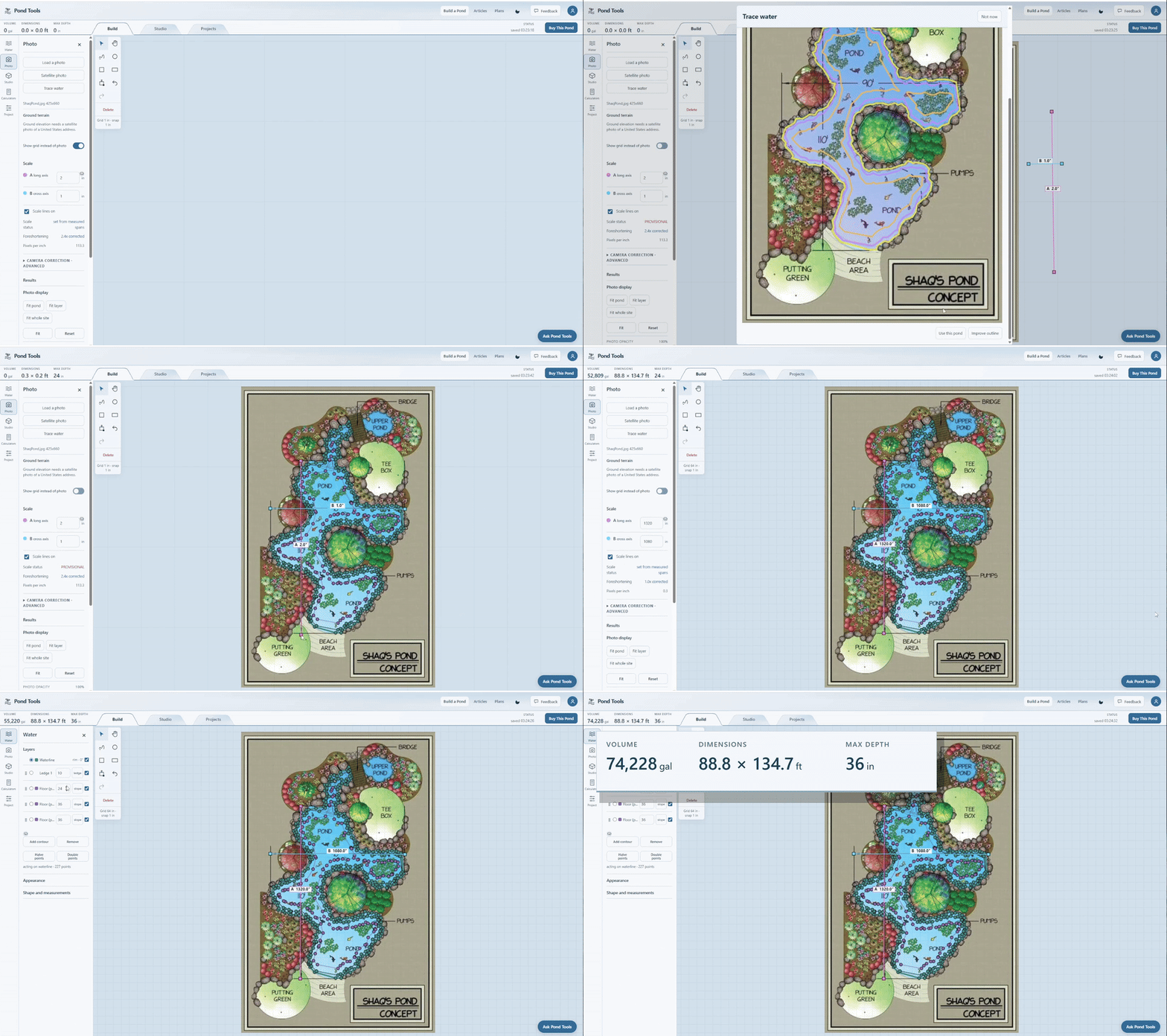
Trace a pond sketch, set its scale and depths, and see estimated volume and dimensions in PondTools. The recording enlarges the measurements for readability.
Try this workflow
- Load the drawing as a background image in Build.
- Enter a known measurement to set the drawing's scale, then trace the pond outline.
- Set the shelf and bottom depths for the pond plan.
- Read the estimated volume, dimensions and maximum depth as the design changes.