From Backyard Photo to Pond Design
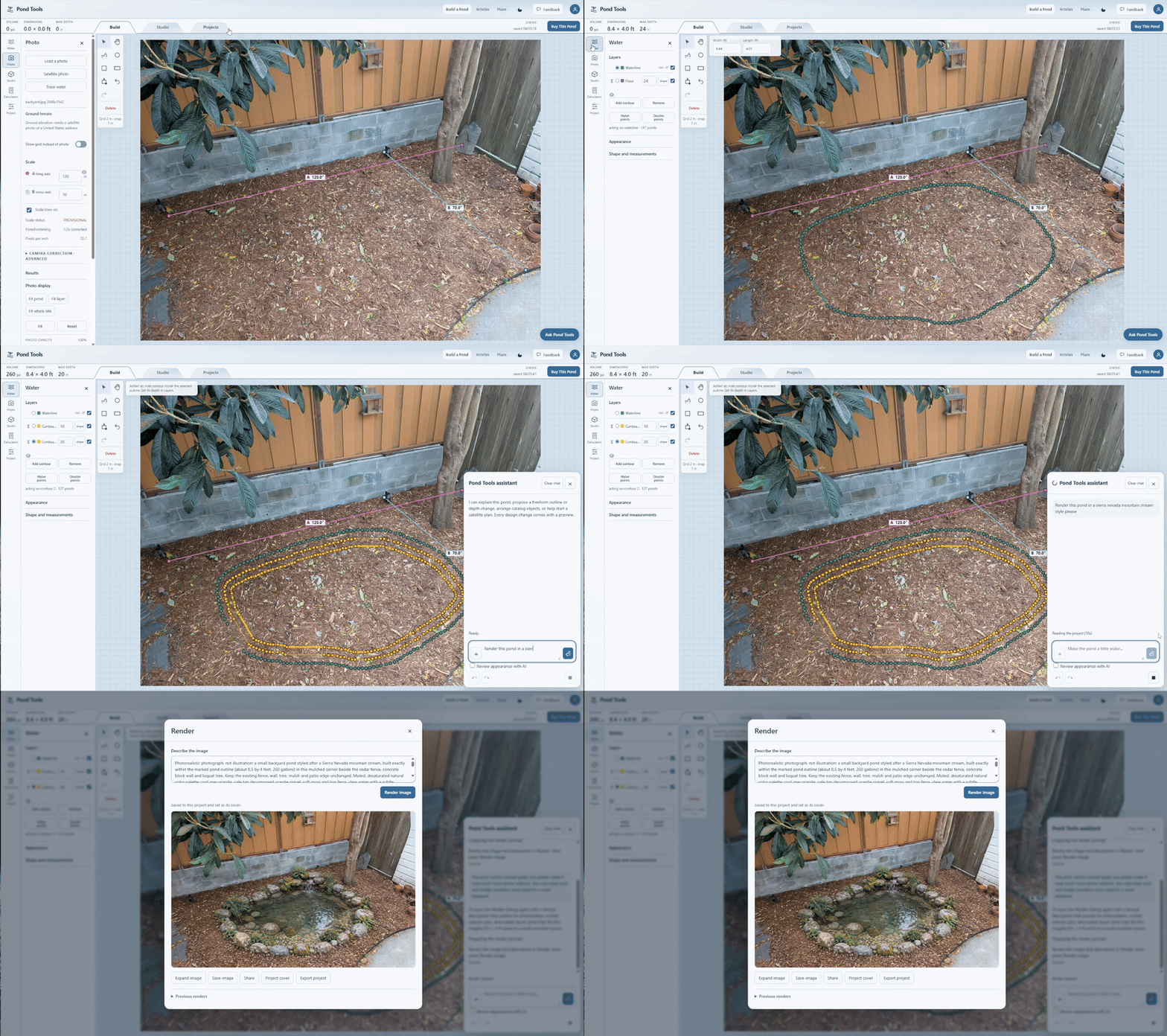
Draw a pond over a backyard photo, then generate an AI image of the proposed pond and surroundings in PondTools.
Try this workflow
- Load a photo of the yard in Build and set its scale using a known distance.
- Draw the proposed pond over the photo and adjust its contours and depths.
- Open Render, review the captured view and describe the materials and planting you want in the image.
- Generate and save the image to review the proposed pond in its setting.